Editor contents
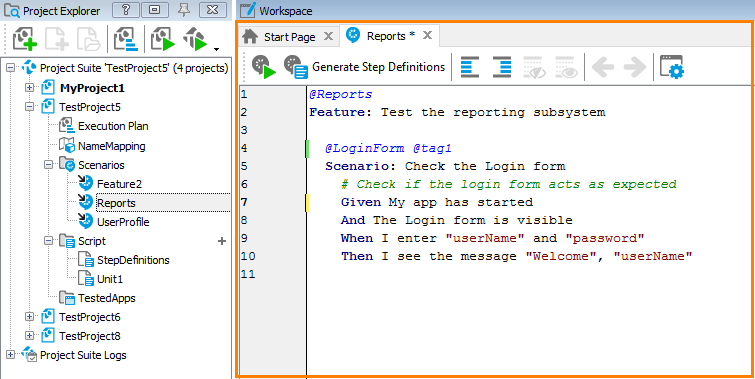
Here is a sample view of the editor:
Click the image to enlarge it.
The feature file starts with the Feature: keyword followed by the feature description. The description can be multiline. The lines should not start with a Open the editorlike Given, When, and so on.
Feature typically corresponds to a subsystem or some larger functionality of the tested product. Below the feature description, you have a definition of one or multiple usage Scenarios to test.
The Given, When, and Then lines below Scenario are called test steps. You can automate them with TestComplete. For more information on this, see Editor contents.
If needed, you can insert comments (# comment text) into the feature file and add Run features, scenarios, and
steps to scenarios and features (@tag-name).
For more information on writing scenarios and on Gherkin keywords, see Navigation to script code.