Generate script code
To generate script functions for a test step, right-click somewhere within the editor and select Generate Step Definitions from the context menu, or click Generate Step Definitions on the toolbar:
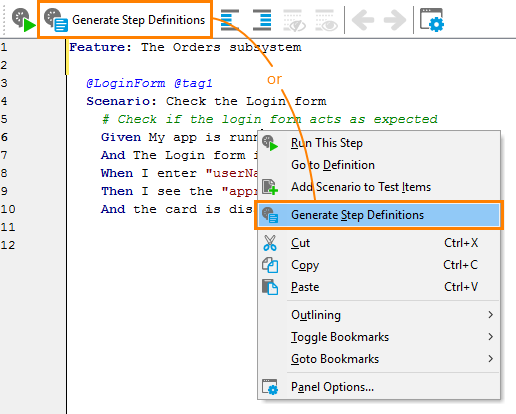
Click the image to enlarge it.
The generated code has function definitions and special statements that link script functions to test steps (see Option 1. The script commands that simulate mouse clicks, keyboard events, and other actions should be created or recorded by QA engineers. For more information on creating these script functions, see Option 2.
If some test step already has a script function linked to it, a new function is not generated. If all the steps have script functions linked to them, the “Generate Step Definitions” item is disabled.