Option 1
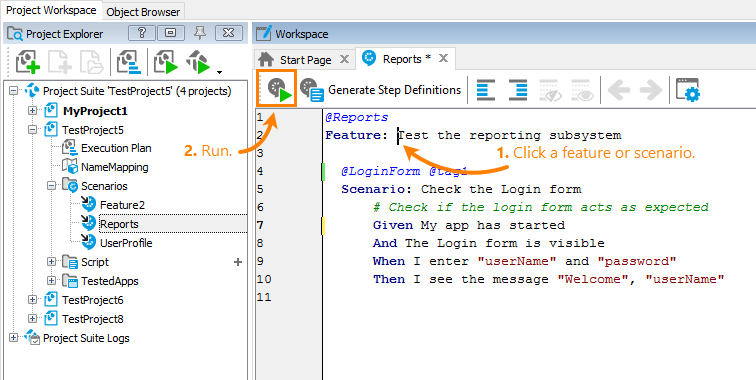
To run a scenario, click any line of that scenario, and then click Run this scenario on the toolbar. To run all the scenarios your feature file contains, click the Feature: ... line or any line outside any scenario, and click Run this feature file on the toolbar (the caption of this toolbar item
depends on the context):
 |
Click the image to enlarge it.