Option 2
To run a feature, scenario or an individual test step, right-click the feature, scenario or test step line and select Run This Feature File, Run This Scenario, or Run This Test Step from the context menu (the menu item’s caption depends on what you’ve clicked):
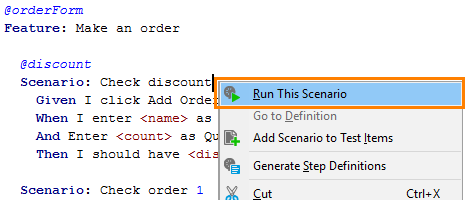 |
Click the image to enlarge it.
Note that test steps depend on earlier test steps and on the tested application state, and they might fail when running outside their scenario. The same concerns scenarios, because in general, they might depend on earlier scenarios. So, we recommend using these Run ... commands for debugging purposes only. To run your BDD tests on a regular basis, use Open the editor that TestComplete offers.